
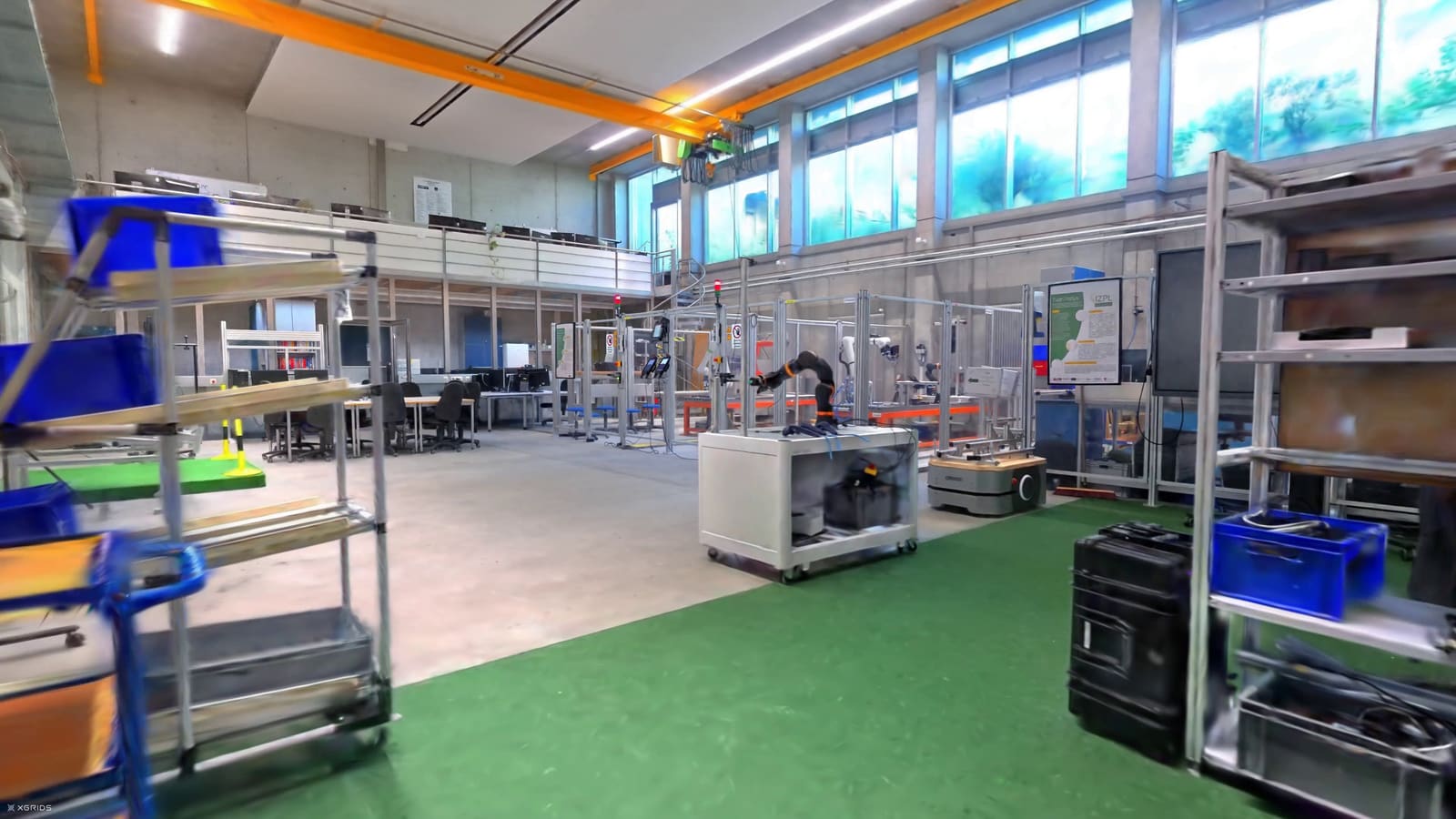
Industry & factories
Virtual plant visits, site tours and internal alignment, without bringing staff, customers or partners on site every time.
Plan a virtual factory tour
Virtual tours for buildings
A walkable replica of your facility, from photos and video — measurable in the browser.
What sets siteviewer apart
siteviewer combines a realistic representation with free movement and easy collaboration directly in the web browser.
The environment becomes explorable in realistic, detailed depth.
Users explore the site intuitively and spatially.
Project partners access the same tour from anywhere.
Questions and alignment happen without extra on-site visits.
Solutions
Virtual plant visits, site tours and internal alignment, without bringing staff, customers or partners on site every time.
Plan a virtual factory tourDigitally capture and review building conditions, technical rooms and areas, and share them with maintenance, management or vendors.
Explore digital documentationScale viewings, qualify prospects and show properties spatially before an on-site visit is needed.
See a virtual viewingTechnology
siteviewer reconstructs your areas with Gaussian splatting from photos and video. Point clouds from laser, lidar or SLAM scanners are not needed. Capture happens with what a company already owns: usually a smartphone, a drone for façades and roofs, an action cam for large indoor and outdoor areas. If a single work area changes later, a capture of that area is enough: it is merged into the existing 3D model.
Achievable accuracy depends on the capture device, environment and project requirements.
Enough for most sites – and you already own one.
For facades, roofs and hard-to-reach areas.
For mobile capture of large indoor and outdoor areas.
Not required, but possible – point clouds in E57 and PLY format can be brought in.
Process
With siteviewer, a photo becomes a virtual tour through your building in three steps – not a rigid panorama, but a space you can move through freely.
Buildings, production areas or properties are captured photographically.
Staff, customers or service providers access the digital tour through siteviewer.
Measurements, points of interest and comments can be placed directly in the tour.
Experience a demo now
Discover the free movement and the use cases of siteviewer.
Try for freeSecure & GDPR-compliant
Packages
siteviewer starts with a free demo, is then provided for your whole organisation – you only choose the number of users – and can be integrated into company processes when needed.
Demo
Create a site, run through the workflow and use the tour — for 14 days, free of charge.
Core
For your whole organisation in day-to-day use, tiered by users.
Enterprise
For custom workflows, roles, permissions and technical integration.
FAQ
A quick explanation of how siteviewer turns buildings, factories and properties into digitally walkable spaces from photos.
siteviewer creates virtual building tours from photos. This lets factories, commercial properties and buildings be explored, documented and shared spatially online.
For industrial customers, real estate companies, facility management, brokers and operators who need virtual factory tours, building viewings or maintenance documentation.
siteviewer uses Gaussian Splatting, a new 3D technology that creates a spatial, photorealistic representation from many photos. This makes buildings feel like freely walkable spaces rather than flat panoramas.
Classic 360-degree tours mostly show fixed panorama points. siteviewer instead creates a spatial view that users can move through more naturally.
You briefly describe the building, location and goal. We then clarify whether a demo or a production rollout across several buildings makes sense.
No. A standard smartphone is enough. siteviewer reconstructs from photos and video – point clouds from laser, lidar or SLAM scanners are not needed. A drone or action cam helps with façades, roofs and large outdoor areas, but neither is a requirement. If a single work area changes later, a capture of that area is enough: it is merged into the existing 3D model.
Suitable properties include factories, production and warehouse areas, technical rooms, commercial real estate, offices, and other indoor and outdoor areas. The project goal and sufficiently complete photographic capture are decisive.
The time required depends on size, accessibility and desired level of detail. A compact property can be captured faster than a sprawling factory. Before the project, we align the capture plan and effort to the building.
Achievable accuracy is typically around 0.5 to 2 cm. The exact value depends on the capture device, environment, capture quality and project requirements.
Existing captures can generally be reviewed. A good 3D reconstruction requires areas to be captured completely, sharply and with sufficient overlap. If material is missing, we plan targeted supplementary captures.
Yes. At app.siteviewer.com you register yourself and get a demo site of your own, visible only to you — at no cost and with no automatic renewal. For a test with your team we set up a demo organisation: free for 14 days, up to 10 users, all features. You can also open a ready-made demo project without capturing anything yourself. Production use through Core or Enterprise is paid.
Yes. You register independently at app.siteviewer.com; a sales call is not required for the test. For larger projects, specific requirements or tenders, our team is also available to you.
Contact
Briefly tell us which building you'd like to capture. We'll get back to you with a suitable proposal for a demo or production use.
Your enquiry
Or email us directly: hello@siteviewer.com